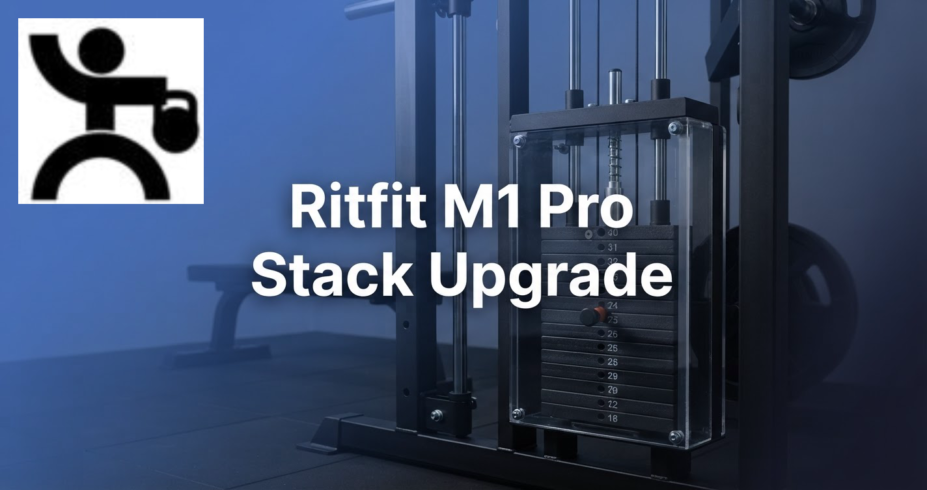
Ritfit M1 Pro Weight Stack Upgrade
Latest Update: November 04, 2026
The Ritfit M1 Pro Weight Stack Upgrade can make cable training more convenient, but compatibility, resistance at the handle, and installation details matter as much as the stack’s listed weight. Use the exact M1 Pro model and its assembly manual to decide whether a separate stack is suitable or a package that includes one better fits your setup.
Key Takeaways
- Compatibility: Match the exact M1 Pro model and generation to the stack’s hardware and manual. Similar product names do not guarantee a shared fit.
- Resistance: Stack weight and resistance at the handle can differ because of the pulley ratio and cable routing.
- Capacity: Check stack, carriage, added plate, and overall machine ratings separately. Also distinguish per side limits from combined limits.
- Buying choice: A package with a stack can simplify the purchase for a new buyer. A separate upgrade makes sense only when it is designed for the exact machine.
- Setup: Follow the assembly manual’s cable path and hardware sequence, and use a helper for parts that are difficult to position safely alone.
- Related details: Our RitFit M1 Pro review describes the machine, while our M1 Pro and M2 Pro comparison helps distinguish those models. The RitFit equipment reference is also available here.
US – View Best Price on Amazon | UK – View Best Price on Amazon
What the M1 Pro setup tells you
The RitFit M1 Pro combines a Smith machine, cable crossover, rack, and storage features in one frame.
The M1 Pro is listed at 47.8 inches long, 63 inches wide, and 85.2 inches high. Its stated weight capacity is 1,850 pounds, not the machine’s own mass.
Because product specifications can conflict, check the manual for your exact model before relying on these dimensions or capacity.
For a new buyer, the RitFit M1 Pro Smith Machine Package costs $1,299.99. That package combines the machine and its stated accessories, while a separate stack purchase requires a careful fit and capacity check.
Buying the WSM1 separately is different from choosing a machine package: the separate order is the stack upgrade for an existing M1 Pro, while a package bundles the machine and its listed accessories.
Check the current WSM1 listing for its price and itemized box contents before checkout.
Confirm whether mounting brackets, cables or conversion pieces, and selector hardware are included or reused from the machine; those details affect fit and installation.
Do not treat a product image or generic M1 wording as confirmation—the listing and instructions should identify the M1 Pro.
The Ritfit M1 Pro Weight Stack Upgrade is not a reason to assume every machine carrying the M1 name accepts the same parts.
Treat the rack model, generation, cable arrangement, mounting points, and manual as one compatibility check.
How to verify WSM1 compatibility
Start by identifying the exact model name and generation shown in the machine’s manual and on its identification label.
Then compare that information with the stack’s mounting hardware and installation instructions, rather than relying on a shared brand name or a similar frame shape.
A separate WSM1 weight stack should match the M1 Pro’s mounting points, carriage arrangement, and cable path.
Before ordering, make a short compatibility checklist that covers the frame model, attachment brackets, cable connections, selector pin, and any conversion parts specified for that setup.
The M1 Pro and M2 Pro are distinct machines. The M1 Pro has a fixed vertical Smith bar path and the M2 Pro has a three dimensional bar path, so do not use M2 Pro stack or frame details as proof of M1 Pro compatibility.
This infographic highlights key factors to check before considering a Ritfit M1 Pro weight stack upgrade.
Stack weight, carriage capacity, and added plates
Keep four capacity figures separate: the weight stack’s own rating, the weight carriage limit, the amount of additional weight plates allowed, and the machine’s overall rating. A rating for one component does not automatically set the limit for another.
Also determine whether each rating applies per side or to the complete system. Ratings can apply per side or to the complete system. Treat per side limits and combined limits separately, according to the maker’s definitions.
The M1 Pro has a stated overall weight capacity of 1,850 pounds. Its Smith bar has a capacity of up to 1,000 pounds, so use each figure only for the component it describes.
Add plates to a selectorized stack only when the manual permits it. If the manual allows added plates, follow its instructions for the designated loading point and keep the total within every applicable limit.
How pulley ratio changes resistance at the handle
Pulley ratio and cable routing determine how the stack’s weight translates to handle resistance, while friction and the cable path affect the feel during use.
In a one to one arrangement, the handle and stack travel similar distances, so the handle resistance is close to the stack load before friction.
In a two to one arrangement, the handle travels farther than the stack and the force at the handle is lower than the stack’s weight.
The WSM1 conversion for the M1 Pro uses a 1:1 pulley arrangement: handle resistance is approximately the selected stack load before friction, and the handle and stack move similar distances.
Use the exact cable routing diagram and conversion instructions for your setup; do not infer the ratio from another M1 generation.
Separate stack or package with a stack
US – View Best Price on Amazon | UK – View Best Price on Amazon
For a new buyer, a machine package that includes the intended stack can reduce the number of separate compatibility decisions.
Compare the included equipment, stack arrangement, and stated limits with the cable exercises you plan to do.
A separate stack can suit an existing owner when its instructions identify the exact M1 Pro model and generation.
Compare the purchase against the included stack package by looking at total cost, parts included, installation work, and whether the same resistance setup supports your training needs.
Plate loading offers a different routine. A plate loaded carriage requires you to load and unload plates when changing resistance, while a selectorized setup lets you choose from its available increments with a pin.
That convenience does not make one setup automatically better for every owner. Consider how often you change loads, how much room you have for plates, and whether the available stack increments suit your exercises.
Installation, tools, and first checks
Read the full assembly manual before starting, and lay out the listed hardware in sequence. A separate stack can have its own parts and steps.
- Check the machine model, stack parts, attachment brackets, cable condition, and selector pin against the manual.
- Clear working space around the machine, then position the parts in the order the instructions require.
- Attach the stack and brackets using the specified hardware and tightening sequence.
- Route the cables exactly as illustrated, checking each pulley and connection before fitting the selector pin.
- Move the stack through its range without added load, then verify smooth travel and secure pin engagement before training.
Use the tools named in the manual, and have a helper support parts that are awkward to hold and fasten at the same time. Do not guess at cable routing or force a bracket into place when its holes do not align.
Owner reports describe the convenience of the WSM1, but some also mention a cable that felt snug after a 1:1 conversion and stiff movement that needed troubleshooting.
Before loading the stack, check the routing and cable tension through its unloaded travel; if movement binds, recheck the routing and pulley alignment rather than forcing it.
Some owners also describe adding plates, but that does not establish that every setup permits it.
Room, delivery, and upkeep
Measure the available floor area and ceiling height, then allow room to move around the machine and use its cable positions.
The listed assembled dimensions are 47.8 inches long, 63 inches wide, and 85.2 inches high; check them against the manual for your exact M1 Pro before committing to a space.
Plan for the route from delivery point to workout space, including doorways, turns, and the area needed to assemble the frame. Measure the delivery cartons separately from the assembled machine.
After installation, inspect cable alignment, pulley movement, fasteners, and selector pin engagement as part of routine equipment care.
If a cable rubs, a pin will not seat, or the stack catches, stop using that station and correct the setup according to the manual.
Keep the manual and purchase records with the machine, and read the warranty terms that apply to your model before making changes to its frame or cable system.
Regularly remove dust from accessible surfaces and follow the maker’s care directions for moving parts.
Frequently Asked Questions
Can I use smaller weight increments than the stack plates provide?
Use only the increments provided by the stack or accessories specifically designed for that stack. Do not improvise by wedging loose plates or objects between selectorized plates.
Can I attach resistance bands to the cable system after the upgrade?
Use bands only at anchor points and in combinations allowed by the machine manual. The presence of band pegs on a machine does not by itself establish that a moving cable can be used with added band tension.
Should I lubricate the cables or pulleys if they feel rough?
First inspect cable alignment, pulley movement, and any visible obstruction. Apply lubricant only when the manual specifies the product and location, since lubricant in the wrong place can collect dust or affect cable movement.
Can I make a cable exercise one sided with a dual cable setup?
Use one cable station at a time only when the machine’s instructions permit that arrangement. Keep the unused handle and cable clear of the moving parts and the area where you exercise.
What should I do if the selector pin will not slide in easily?
Unload the stack and align the plates before inserting the pin. If it still does not seat fully, stop and inspect the selector rod and plate alignment rather than forcing the pin.
What is the difference between RitFit M1 and M1 Pro?
Features and compatibility can vary by model and generation. Compare the machines’ manuals and specifications; the M1 Pro is described as having a fixed vertical Smith bar path, while the M2 Pro has a three-dimensional bar path.
How much does RitFit M1 Pro weigh?
The 1,850-pound figure is the M1 Pro’s stated capacity, not its own weight. Check the exact product listing or manual for the machine’s weight.
See also: B09Dj4KRv.
Conclusion
The Ritfit M1 Pro Weight Stack Upgrade is a decision about exact compatibility, usable resistance, installation, and capacity, not simply the total number printed on a stack.
Match the stack to the precise M1 Pro generation, follow its cable diagram, and compare a separate upgrade with a package that includes the intended setup.